

Modern Alternative to MS Word
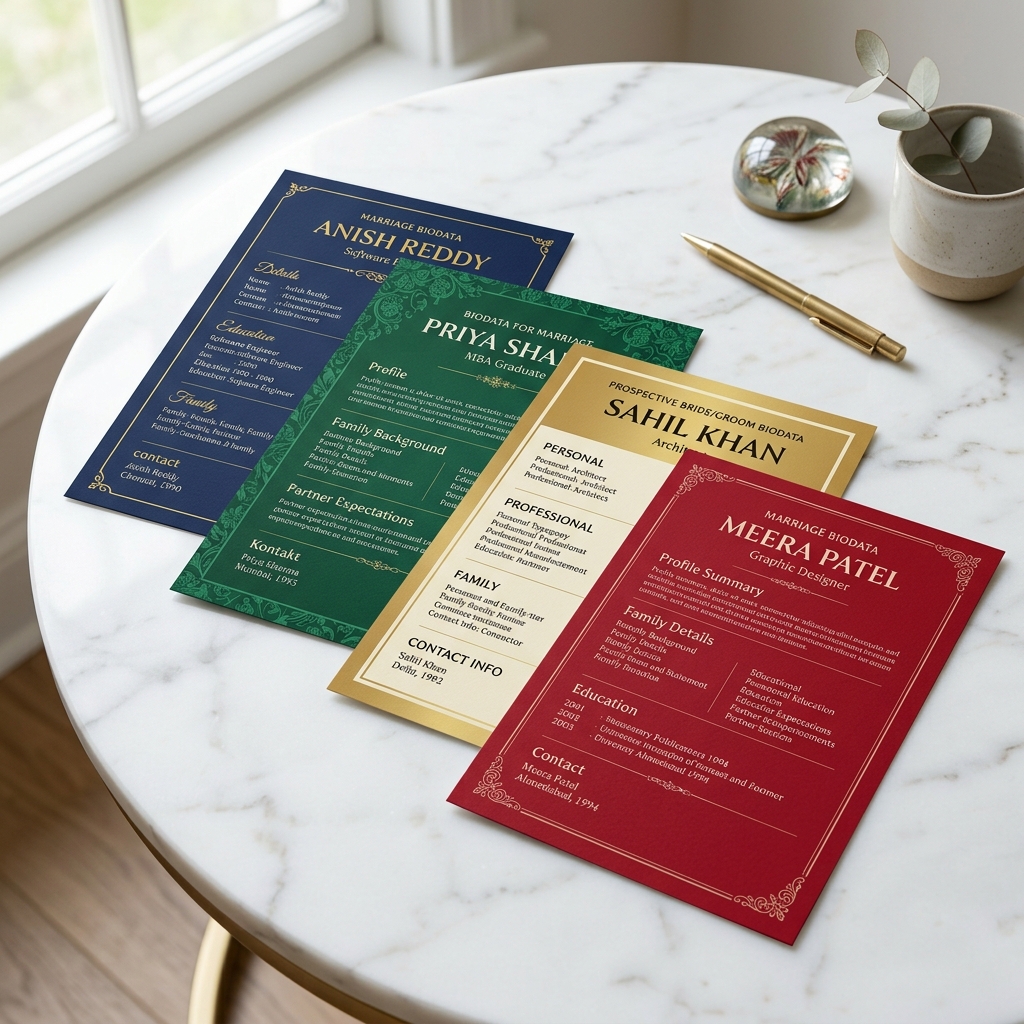
Marriage Biodata Format in Word
Stop struggling with alignment issues in Word templates. Create a clean, modern marriage biodata online and download a pixel-perfect PDF that works perfectly on WhatsApp and mobile screens.
2 Mins to Create
Instant PDF Export
100%
Free
Basic
Premium Design Gallery
Select from our curated collection of professional and elegant biodata formats.
Personal Details
Family Details
Contact Details
Royal Maroon
Deep maroon biodata with gold styling and traditional section headers.
Use This TemplatePersonal Details
Family Details
Contact Details
Golden Floral
Cream biodata frame with floral-style golden corner decoration.
Use This TemplatePersonal Details
Family Details
Contact Details
Sacred Classic
White traditional layout with top mantra styling and side portrait placement.
Use This TemplatePersonal Details
Family Details
Contact Details
Elegant Heritage
A traditional heritage layout with sophisticated brown and cream tones.
Use This TemplateFamily Details
Contact Details
Priya Thakar
Personal Details
Blossom Pink
Delicate floral design with soft pink accents for a graceful look.
Use This Template
॥ श्री गणेशाय नमः ॥
Family Details
Contact Details
Golden Vintage
Timeless vintage design with intricate golden patterns and frames.
Use This TemplateBIODATA
Personal Details
Priya Thakar
Maroon Split
Modern split layout with a bold maroon sidebar and clean typography.
Use This TemplatePersonal Details
Family Details
Contact Details
Midnight Modern
Sleek and professional dark-themed layout for a modern touch.
Use This TemplatePersonal Details
Family Details
Contact Details
Ocean Minimal
Modern minimalist layout with ocean blue tones and rounded playful borders.
Use This TemplatePriya Thakar
Teal Gold
Elegant teal and gold combination for a balanced professional look.
Use This TemplateWhy You Should Avoid Marriage Biodata Format in Word Documents
The Problem with Traditional MS Word Biodata Templates
For years, the standard way to create a profile was searching for a **marriage biodata format in word** or downloading a generic **marriage biodata doc** file. Users would spend hours adjusting tables, text alignment, and image wrapping in Microsoft Word, only to find that the formatting completely broke when opened on another computer or mobile device. Word files are notorious for shifting margins and changing fonts when opened in different software versions.
Today, over 90% of matrimonial profiles are shared and viewed on mobile screens via messaging apps like WhatsApp. A **marriage biodata format word doc** file is difficult to read on a smartphone, often requiring the reader to zoom in and scroll horizontally. In a competitive matrimonial search, making it hard for the other family to read your details can create a poor first impression. That is why modern profiles are built directly as mobile-friendly PDFs. You can check our modern design templates to see how clean layout structures should look.
Instead of downloading an outdated doc file, you can build your profile online using a structured system that guarantees a perfect layout every single time.
How Our Online Builder Replaces Editable Word Templates
RishtaMaker provides the ease of an **editable biodata format in word** without any of the formatting struggles. Our form builder is designed to act as a structured editor where you simply fill in the blanks, and the technology automatically handles the design, spacing, and layout:
1. Drag-and-Drop Image Cropping: In Microsoft Word, inserting a profile picture can disrupt the entire document layout. Our builder includes an image picker that frames and fits your portrait perfectly into the selected design layout without disturbing text fields.
2. Absolute Layout Lock: All our templates are mathematically locked to standard A4 paper proportions. No matter how much or how little text you write, the content is balanced beautifully on the page, eliminating awkward blank spaces or spill-overs onto page two.
3. Dynamic Field Control: Unlike a rigid Word table, our editor allows you to add custom fields, delete unused sections, or rename titles instantly with a single click. For more specific gender layouts, read our guides on groom biodata format and bride biodata format.
The Advantages of PDF Format for WhatsApp Sharing
Once you generate your profile, exporting it as a PDF rather than a Word doc has key benefits:
- **Universal Compatibility:** A PDF looks identical whether it is opened on an iPhone, an Android phone, a Windows PC, or a Mac. Fonts, borders, and image placements never shift.
- **Security & Integrity:** A PDF is read-only by default, ensuring that your private details cannot be accidentally altered or edited by others when forwarded across family groups.
- **Print-Ready Resolution:** Our exporter creates high-resolution vector text, meaning your profile will print beautifully on high-quality textured paper. For specific download guidelines, refer to our biodata PDF page.
- **Compact File Size:** The generated files are light and optimized for fast downloading over mobile networks, making sharing quick and easy.
How to Structure a Professional Profile Online
To get the best response from your matrimonial search, structure your details professionally. Avoid cluttering the page with excessive details. Focus on clear subheadings: Personal Details, Family Background, Education & Career, and Partner Expectations.
Under career details, clearly write your job role and employer type. Under family details, introduce your parents and siblings briefly. In the expectations section, outline core values and mutual compatibility targets. For a breakdown of how to write these sections cleanly, visit our general marriage biodata format guide.
Proofread the content multiple times before downloading. A single typo in your education or job title can make the profile look sloppy and unprofessional.
Why Choose RishtaMaker over Microsoft Word Templates?
Expert Advice & FAQs
Can I download my marriage biodata in Word format (.doc)?
Our platform generates high-quality PDF files instead of Word documents. A PDF guarantees that your formatting, fonts, and photos remain perfectly locked and readable on all mobile screens when shared on WhatsApp.
Is it easy to edit my details after downloading the PDF?
Since we do not save your details on our servers for privacy reasons, you cannot edit the downloaded PDF file directly. However, you can return to our website at any time, enter your updated details in the form, and download a new PDF in seconds.
How does the builder ensure my details fit on one page?
Our templates are designed with smart responsive spacing. They automatically adjust font sizes and padding based on the amount of text you enter, ensuring that standard profiles fit neatly on a single page.
Can I print the downloaded PDF file?
Yes! The downloaded PDF is in print-ready high-resolution. You can print it on any standard home printer or take it to a print shop. We recommend printing on high-quality, slightly thick paper for a premium feel.
Create Your Marriage Biodata in 2 Minutes
Choose from dozens of professional, elegant templates and generate your matrimonial profile instantly. Free, simple, and trusted by thousands.